CRM + OutlookYour CRM gets the order. TaakBoard gets it delivered.

Know every ship date before your customer asks.

TaakBoard picks up where the sale ends. Every project, manufacturer and ship date from PO to the delivery truck, ready to use on day one, so nothing ships late by surprise.

  • Ready on day one
  • Committed ship dates
  • Manufacturers view free
  • Works with Outlook & your CRM
app.taakboard.com/
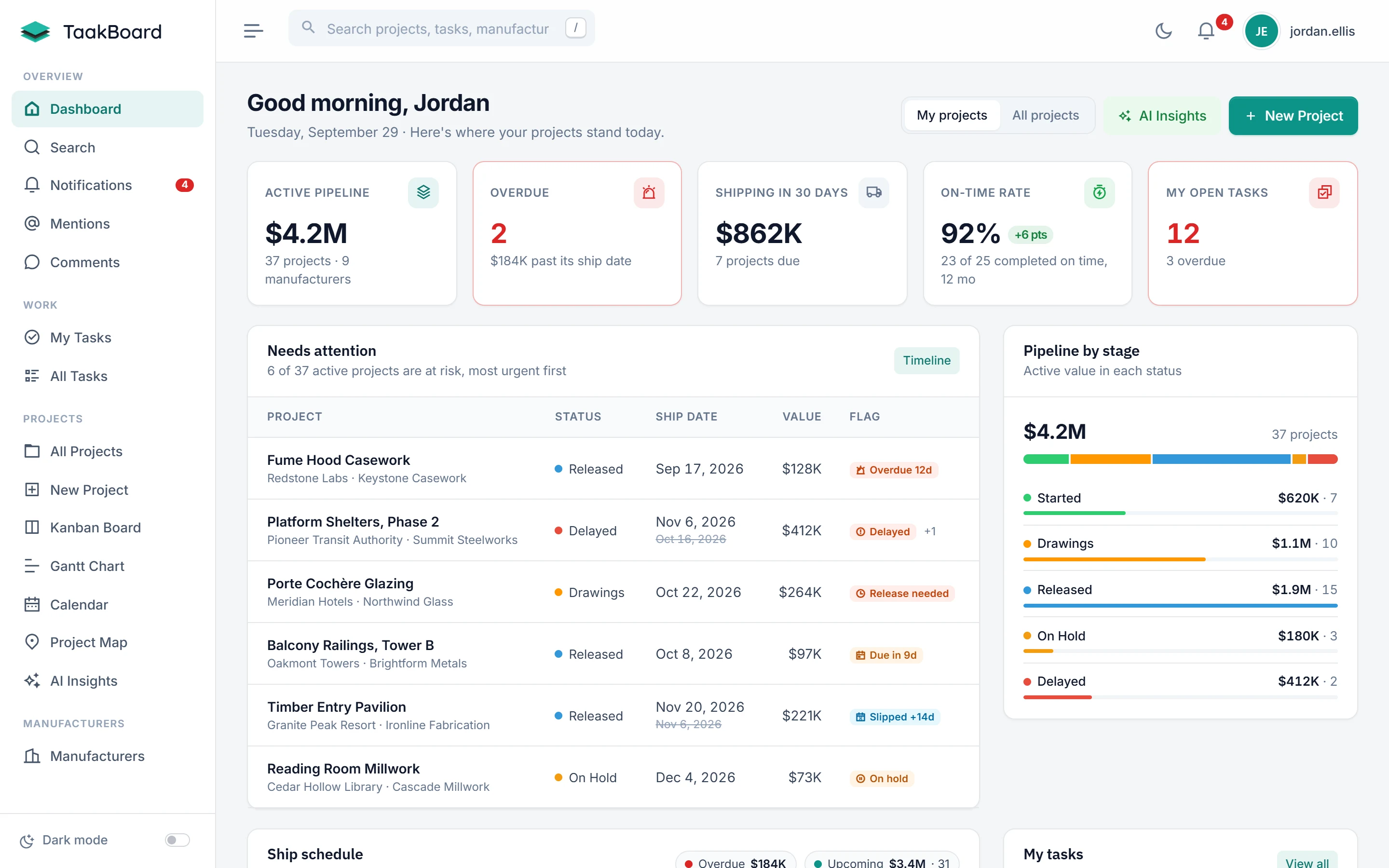
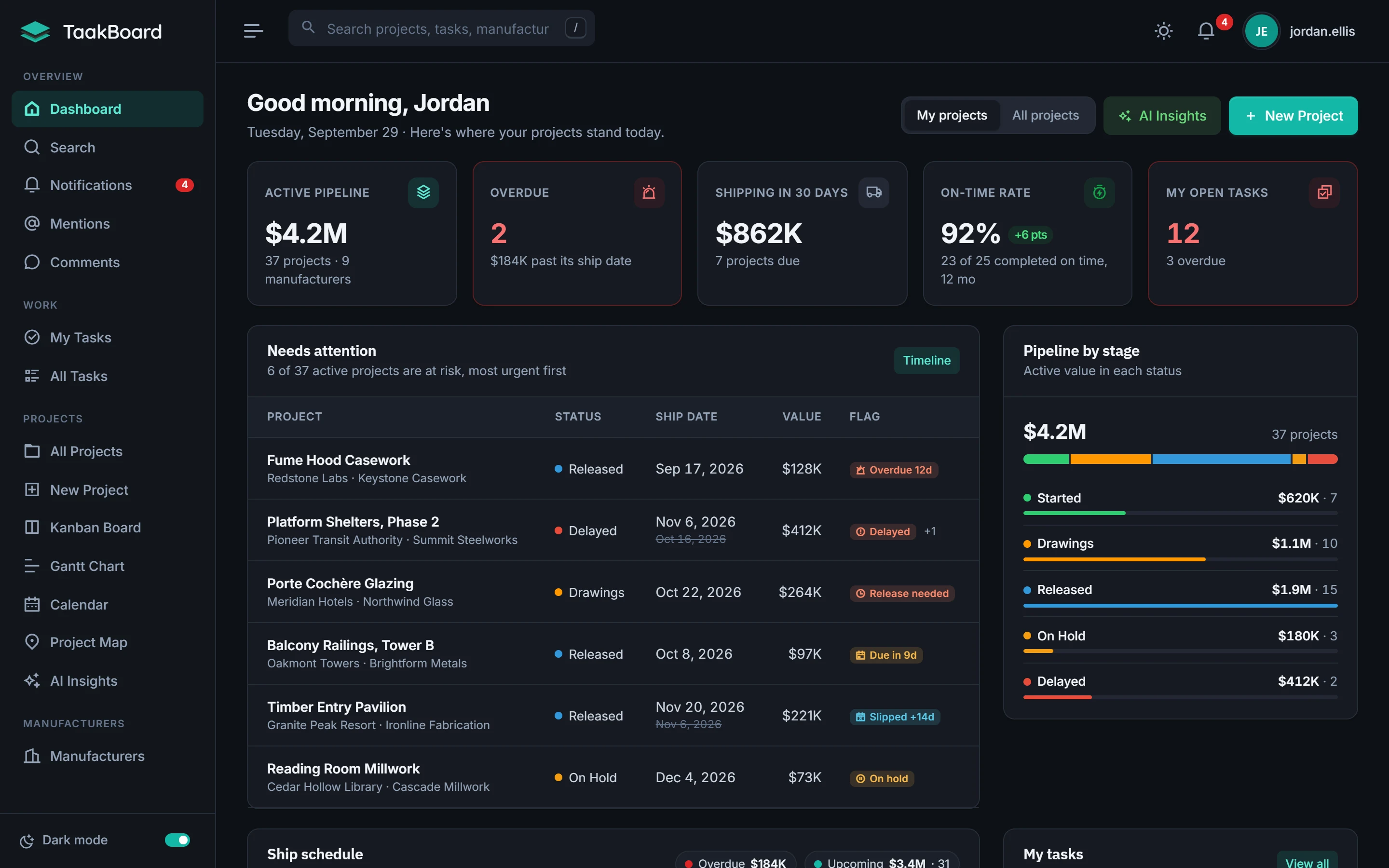
TaakBoard dashboard showing the active pipeline, overdue projects and a ranked list of projects that need attentionTaakBoard dashboard showing the active pipeline, overdue projects and a ranked list of projects that need attention

Built for the companies that make, sell and deliver custom work, and everyone in between

Custom fabricators OEMs Systems integrators Manufacturer reps Dealers & distributors Architectural products Millwork & casework Glazing & storefront
Sound familiar?

Your projects live in five places. Your promises live in none.

Spreadsheets, inboxes and a whiteboard can track a handful of jobs. Past that, dates drift and nobody notices until the customer calls.

Ship dates drift quietly

The date in the spreadsheet changes and nobody remembers what was promised when the order was released.

Committed and revised dates side by side, with every slip flagged.

Decisions get buried in email

Approvals, freight quotes and change orders sit in someone's inbox, where the rest of the team can't find them.

Comments, @mentions and documents live on the project.

Status meetings just to learn the status

Answering "where are we?" takes a round of calls to every manufacturer and a meeting to compare notes.

One dashboard shows what's at risk and what ships next.
Why TaakBoard

Built around one question: will it ship on time?

General-purpose tools can be bent into shape. TaakBoard is already the right shape.

Ready on day one

No setup project. No consultant.

Manufacturers, POs, lead times, releases and ship dates are already built in. There are no boards to design or formulas to maintain. Enter your first order and the dashboard starts ranking what needs attention.
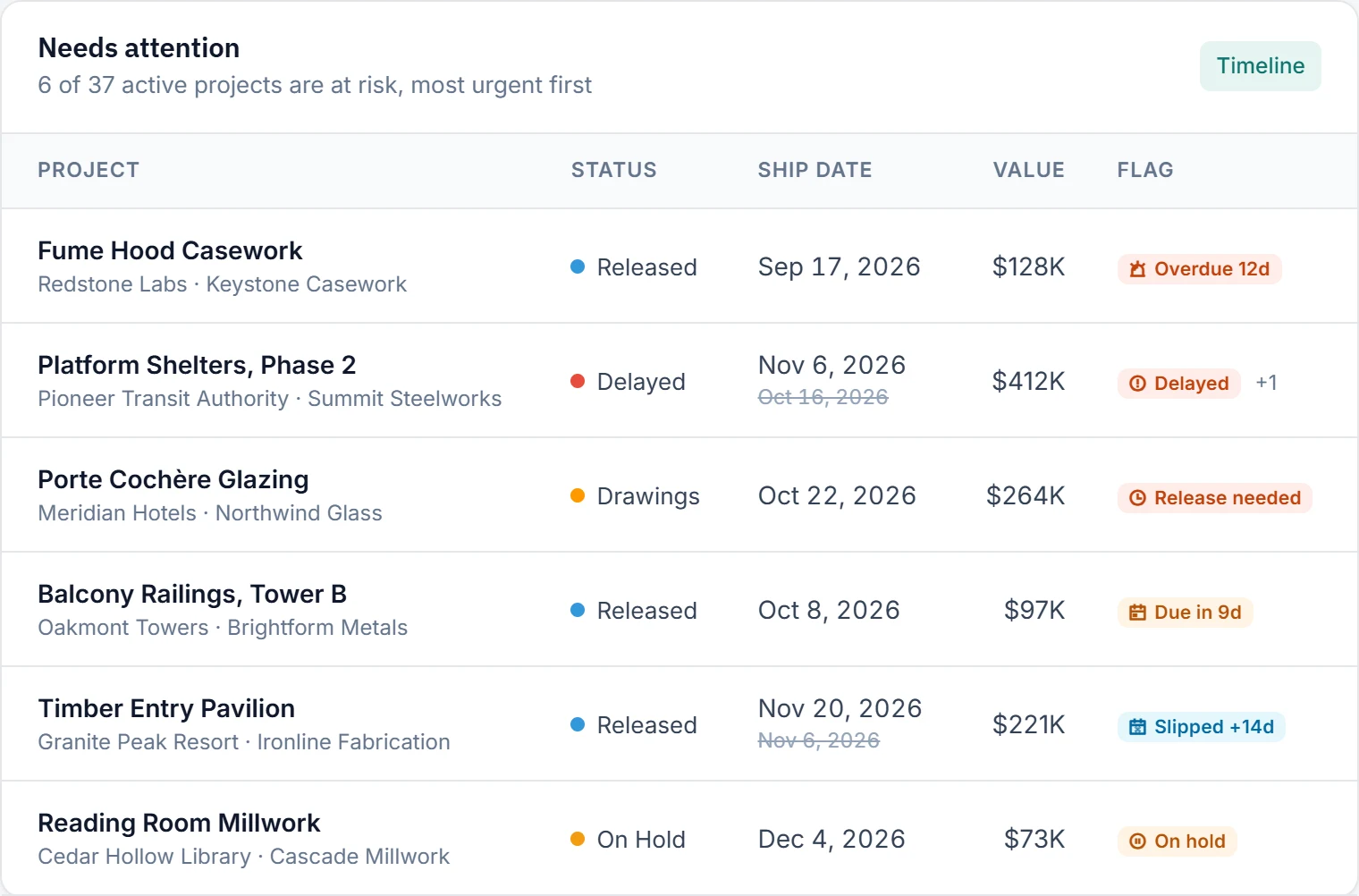
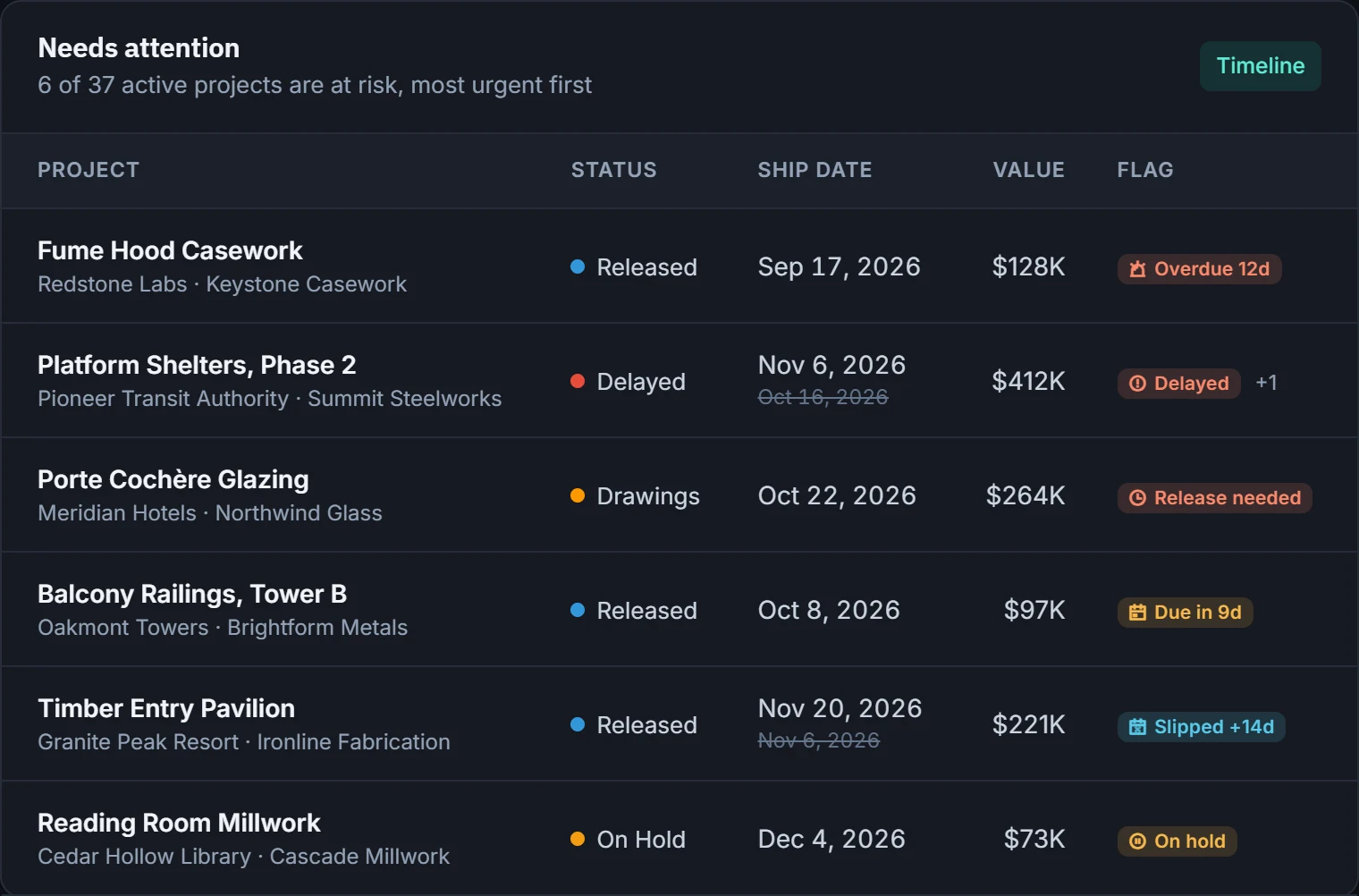
Needs attention list with overdue, delayed and slipped projectsNeeds attention list with overdue, delayed and slipped projects
Committed ship dates

The date you promised stays on the record

When a date moves, the original stays next to it and the slip is flagged. Nothing gets quietly overwritten.

No extra seats

Your manufacturers get in free

Share a secure, read-only link to any project. Manufacturers see the schedule and status without an account, and you never pay for their seat. Links can expire, and every visit is logged.

Made for your industry

It speaks your language

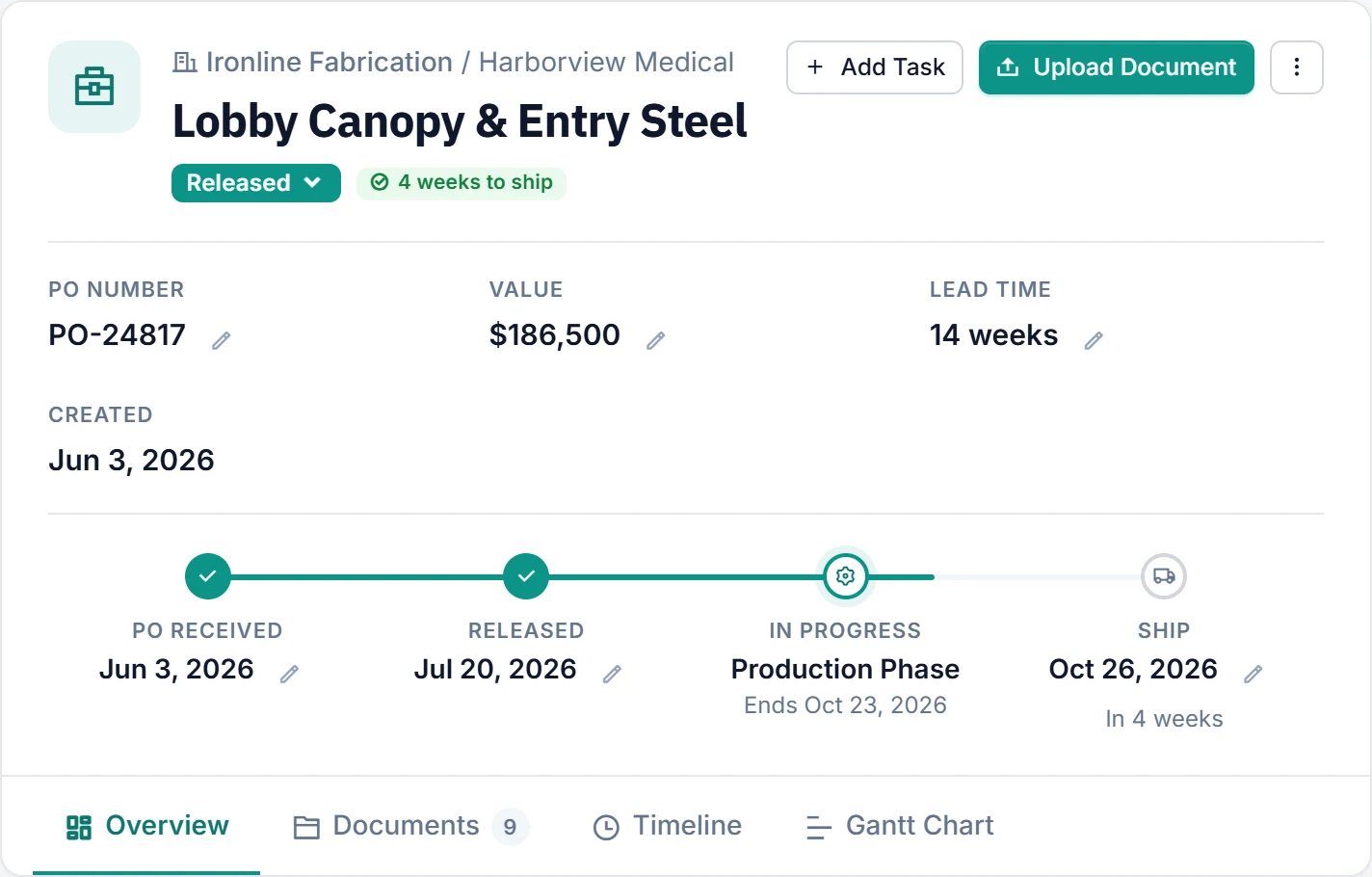
PO, release, production and ship. Submittals, drawings and lead times. The words your team and your manufacturers already use, not sprints and story points.

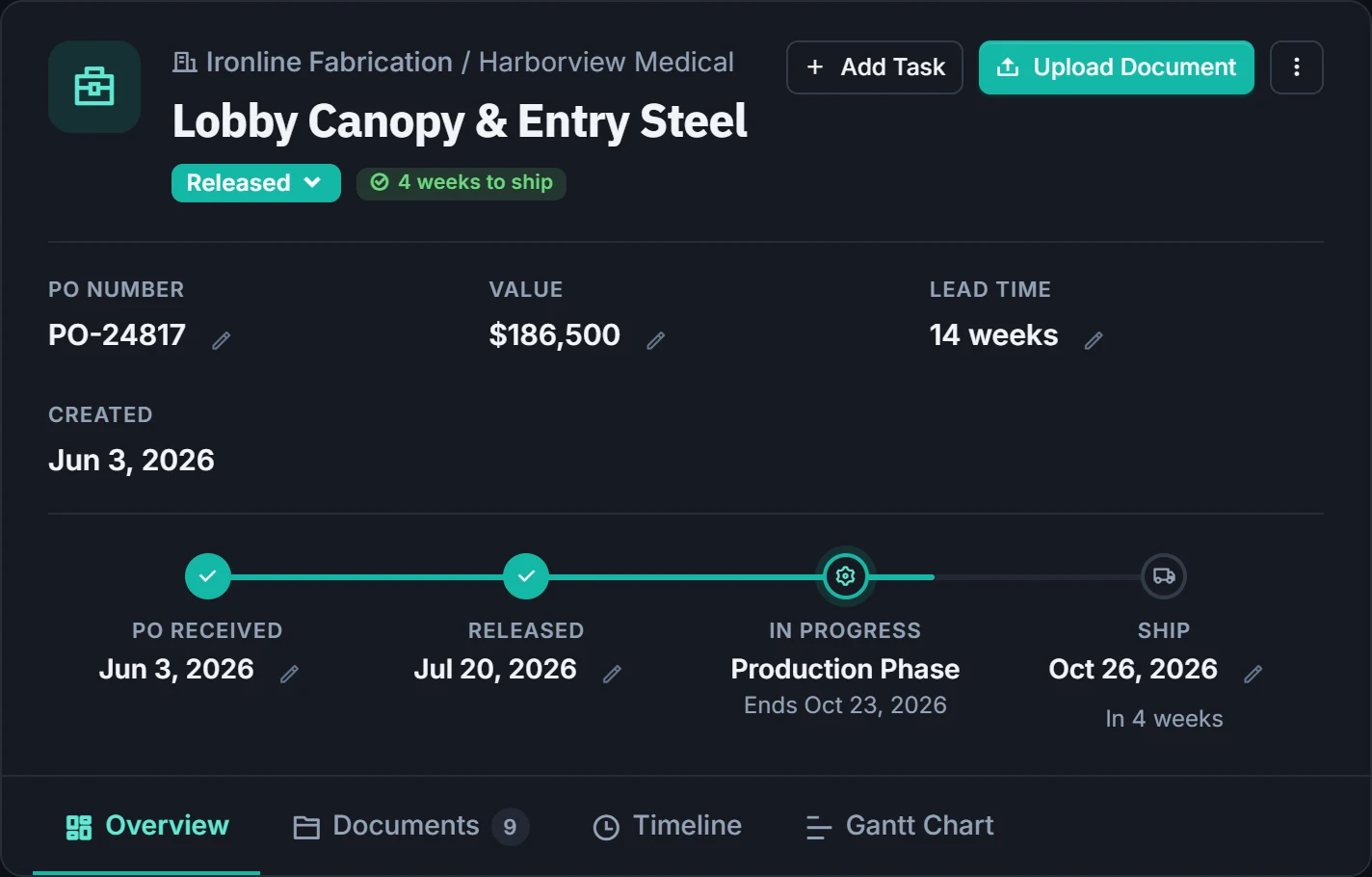
Project header with status, health pill and the PO, release, production and ship schedule trackProject header with status, health pill and the PO, release, production and ship schedule track
Works with your tools

Your CRM gets the order. TaakBoard gets it delivered.

Keep selling in the CRM your team already lives in. When the PO lands, TaakBoard takes it from release to the delivery truck, and the emails that come with it land on the project too.

  • Outlook add-in Available nowSave an email as a project comment, upload its attachments or turn it into a task without leaving Outlook. TaakBoard suggests the project from the subject line, and AI can summarize a long thread for you.
  • Salesforce, Microsoft Dynamics and other CRMs On requestConnect TaakBoard to your CRM so won orders move across without retyping. Using something else? Tell us what you run.
  • Data API for your ERP and other systems On requestFeed projects, ship dates and status into your ERP, accounting or reporting tools so everyone works from the same numbers.
Everything in the box

All the tools a project team needs, none it doesn't

Everything your team uses day to day, already set up for manufacturer-driven projects.

Kanban board

Drag projects between statuses. Every column shows its count and total value.

Calendar

Every ship date on a month, week or list calendar, colored by status.

Project map

See where projects are shipping, colored by manufacturer.

Documents

POs, submittals, drawings and invoices, filed on the project in cloud storage.

Tasks

Assign, prioritize and date tasks. My Tasks shows what's yours and what's late.

Search

Find any project, task or manufacturer from anywhere in the app.

@mentions & alerts

@mention a teammate on a project. Alerts and emails link straight to what changed.

Team access

Control who manages your team, and share projects with manufacturers securely.

How it works

From scattered spreadsheets to one board in three steps

Add your manufacturers and team

Set up the manufacturers you work with, invite your team and install the Outlook add-in.

Bring in orders as they land

Enter them in a minute or connect your CRM so won orders come across on their own. TaakBoard projects the ship date as soon as they arrive.

Let TaakBoard watch the dates

From then on the dashboard, alerts and AI Insights flag anything that slips or stalls.

Why teams switch

Made for manufactured work, not generic to-dos

CapabilityTaakBoardSpreadsheets & emailGeneric task tools
Ready to use on day one, no setup projectBuild it yourselfWeeks of setup
Committed ship date kept when the date moves
Manufacturers view their projects for freePaid seats or guest limits
Projects organized by manufacturer, PO and lead timeBy handCustom fields
Projected ship date from lead timeFormulas
Save emails and attachments from Outlook to the projectForward and hopeSome
Comments, @mentions and documents on each project
AI briefing on what's urgent this weekSome
FAQ

Questions, answered

Who is TaakBoard built for?

Companies that make, sell or deliver custom-manufactured work: custom fabricators, OEMs, systems integrators, manufacturer reps, dealers and distributors, and the project managers who coordinate several manufacturers at once.

What does a "committed" ship date mean?

It's the date you promised your customer. If it moves, TaakBoard keeps the original alongside the new one, so a slip is visible to the whole team instead of being quietly overwritten.

Can our manufacturers see their projects?

Yes, and it doesn't cost you a seat. Share a secure, read-only link to the project. Manufacturers don't need a TaakBoard account.

Does TaakBoard work with our CRM?

Yes. Keep selling in your CRM and let TaakBoard handle delivery. We connect TaakBoard to Salesforce, Microsoft Dynamics and other leading CRMs so won orders move across without retyping. Tell us what you use.

Can we get TaakBoard data into our ERP or other software?

Yes. The TaakBoard Data API shares projects, ship dates and status with your ERP, accounting or reporting tools, so the rest of the business sees the same dates your project team does.

Is there an Outlook add-in?

Yes. From any email in Outlook you can save the message to a project, upload its attachments or create a task. TaakBoard suggests the project from the subject line, and AI can summarize a long thread before you save it.

How long does setup take?

There's no setup project. Manufacturers, POs, lead times and ship dates are already built in, so you add your manufacturers and team and start entering orders.

What does AI Insights do?

It writes a prioritized briefing from your projects: what's urgent, what's at risk, which manufacturers need a nudge and what to do this week.

Where are our documents stored?

In secure cloud storage, filed on the project they belong to, so POs, submittals and drawings are always one click from the work.

Does it work on phones and tablets?

TaakBoard runs in any modern browser and adapts to smaller screens, with light and dark themes. There's nothing to install.

How do we get started?

Send us a note below. We'll show you TaakBoard and talk through getting your team set up.

See TaakBoard with your projects in mind

Tell us a little about your team and we'll set up a walkthrough built around how you work today.

  • A live tour of the dashboard, project page and timeline
  • How your manufacturers and team fit in
  • Connecting your CRM, ERP and Outlook
  • Straight answers on pricing for your team size

Book a demo

Tell us how to reach you and what you'd like to see.

Please enter your name.
Please enter a valid email address.
Please enter a short message.

No spam. We only use your details to reply.